
How to Use SIS
If you are new to HKU, please take a look at the Student’s Guide to the SIS for you to become familiar with the system. You may also refer to some reference materials and FAQ on SIS.
How to Enroll and Add/drop Courses
Students should do their course selection (in August) and course add/drop (at the start of semester) through SIS.
You may refer to the quick guide for detailed procedures. You may also take a look at the common enquiries on using SIS for course enrollment if you encounter any technical difficulties.
If you have further enquiry concerning SIS, please contact ITS Service Desk.
How to Check Course Information
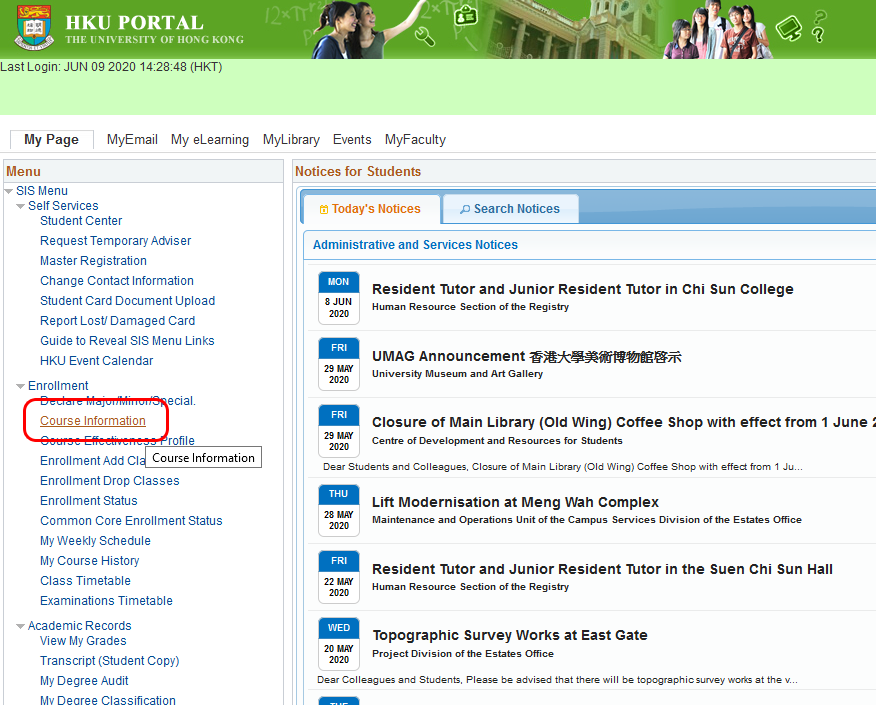
You can visit the “Course Information” section in SIS for learning more about your interested courses, such as assessment methods and other important information.
The navigation is: HKU Portal -> Student Information System (SIS) (see the screen capture here) -> SIS Menu -> Enrollment -> Course Information
How to Check Enrollment Statistics
ITS provides real-time enrollment statistics to Common Core course and Core University English course only.
HOW TO CHECK MY CURRENT STUDY PROGRESS
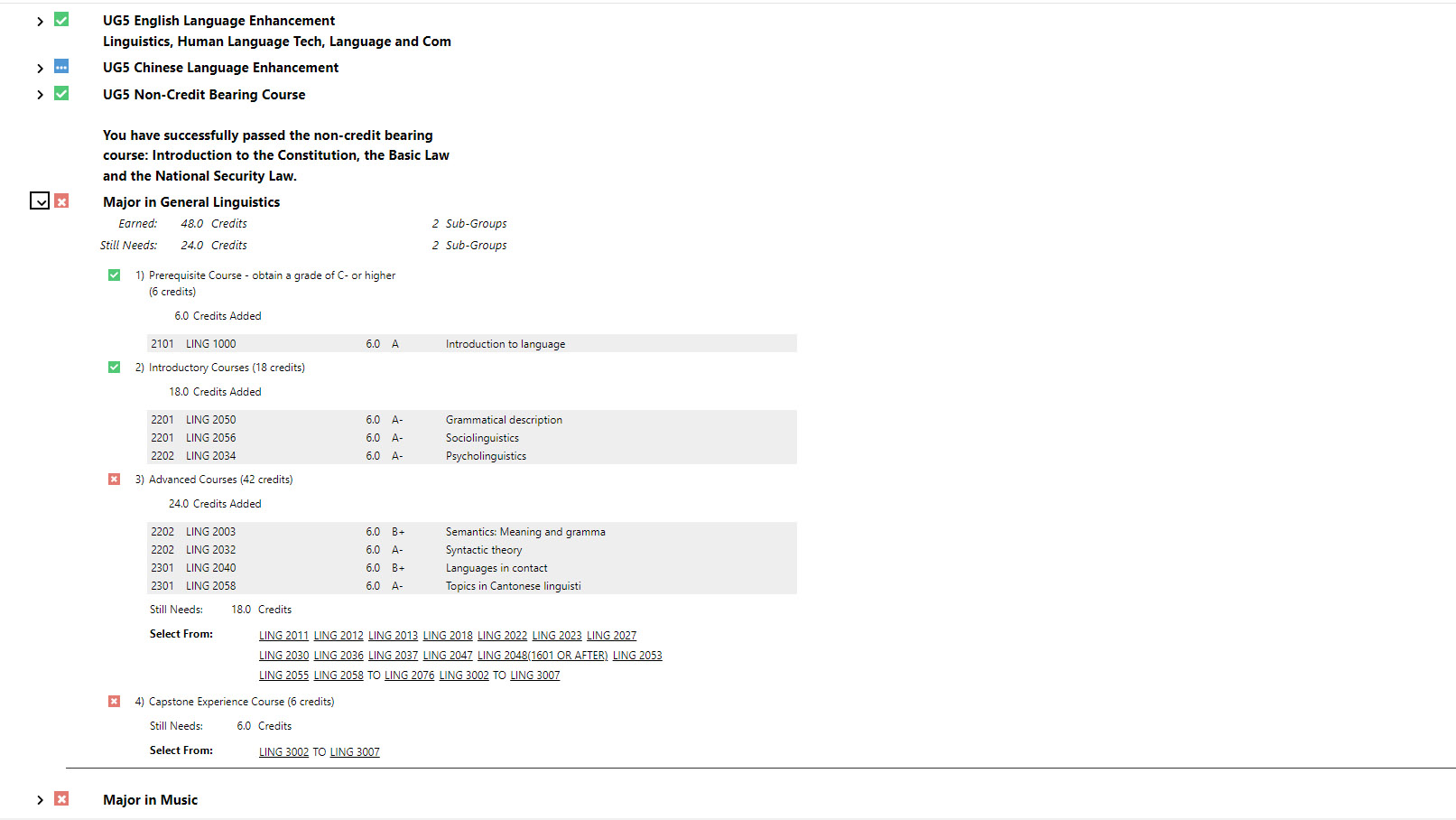
A Degree Audit is an academic report that shows a student’s completed and in-progress courses at the moment. It allows students to see if their courses taken fulfill the requirements of their curriculum and their declared major(s) and/or minor(s), and the remaining courses/credits to complete them.
Students who are planning for other major(s) and/or minor(s), or consider programme transfer can run the What-if report to simulate various scenarios by adding or switching different major(s) and minor(s).
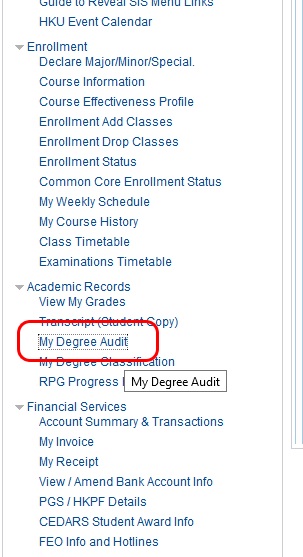
Where to find Degree Audit?
HKU Portal -> Student Information System (SIS) (see the screen capture here) -> SIS Menu -> Academic Records -> My Degree Audit
How to use Degree Audit?
To view current academic progress with declared major(s) and/or minor(s), choose “Run Current Programs”. To simulate academic progress with hypothetical major(s) and/or minor(s), choose “Run What-if Report”.
How to Find Classrooms
Know the meaning of the abbreviations of the classrooms to help you find their location.
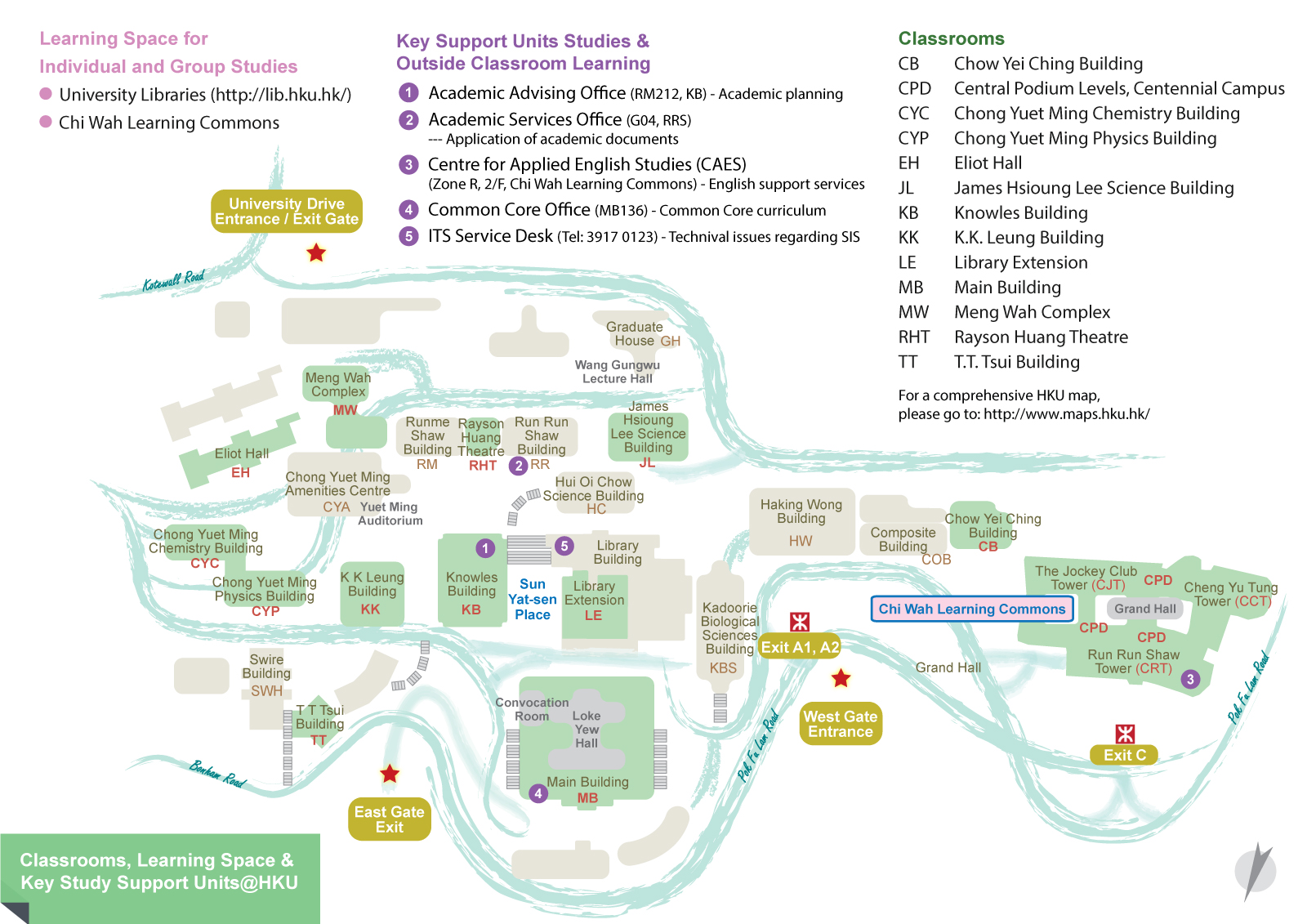
If you are not able to view the about image, please click here
Classrooms
CB	Chow Yei Ching Building
CPD	Central Podium Levels, Centennial Campus
CYC	Chong Yuet Ming Chemistry Building
CYP	Chong Yuet Ming Physics Building
EH	Eliot Hall
JL	James Hsioung Lee Science Building
KB	Knowles Building
KK	K.K. Leung Building
LE	Library Extension
MB	Main Building
MW	Meng Wah Complex
RHT	Rayson Huang Theatre
TT	T.T. Tsui Building
For a comprehensive HKU map, please go to: http://www.maps.hku.hk/